
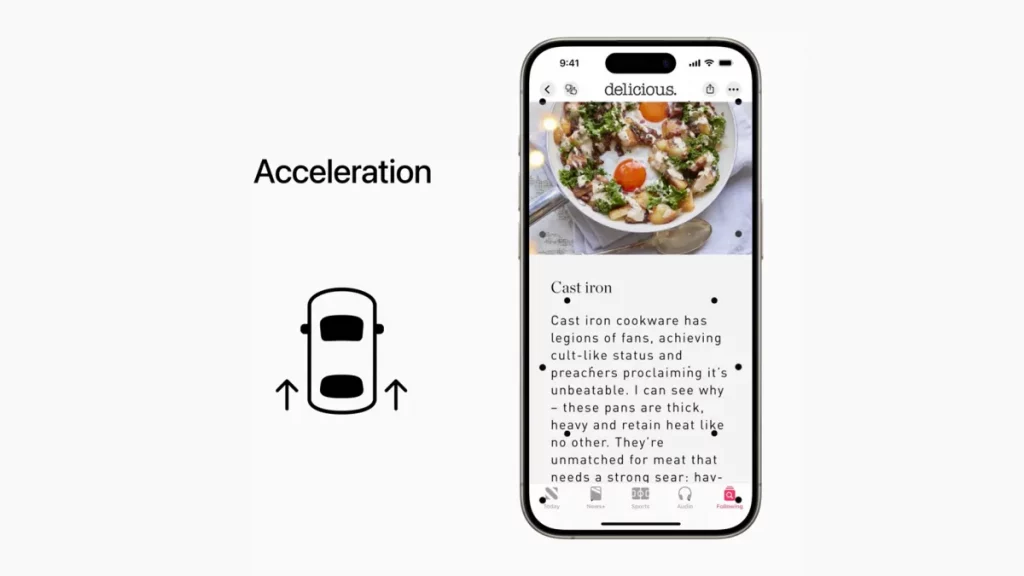

Apple’s Vehicle Motion Cues feature helps reduce motion sickness for many iPhone users by displaying animated dots that move with a vehicle’s motion.
NEW YORK: A little-known iPhone feature designed to reduce motion sickness is gaining widespread attention after users reported it helped them comfortably use their phones while traveling in cars, buses, and trains.
The feature, called Vehicle Motion Cues, has recently gone viral on social media, with many iPhone owners praising its ability to ease nausea and dizziness during journeys.
Apple’s Vehicle Motion Cues uses the iPhone’s built-in accelerometer to detect a vehicle’s movement. It then displays animated dots along the edges of the screen that move in sync with the motion of the vehicle.
The visual cues are designed to help the brain better coordinate what the eyes see with what the inner ear senses, reducing the sensory conflict that often causes motion sickness.
Many commuters say the feature allows them to read messages, browse the internet, or watch videos without experiencing the nausea that typically accompanies screen use while traveling.
Although many users have praised the feature, reviews remain mixed.
Some commuters say the animated dots significantly reduce feelings of dizziness, while others report only limited improvement.
One subway passenger in New York City said he found the feature so effective that he keeps it activated all day, even when he is not traveling.
The commuter declined to share his name but said the feature has transformed his daily journey.
Why Motion Sickness Happens
Motion sickness occurs when the brain receives conflicting information from the eyes, inner ear, and body.
For example, while reading a phone screen inside a moving vehicle, the eyes remain focused on a stationary object, but the inner ear detects continuous movement. This mismatch can trigger symptoms such as:
- Nausea
- Dizziness
- Headache
- Sweating
- Vomiting
Vehicle Motion Cues attempts to reduce this conflict by visually reflecting the vehicle’s movement on the screen.
While the feature may help many people continue using their phones during travel, health experts still recommend taking regular breaks from screens during long journeys.
Looking out the window, maintaining good posture, staying hydrated, and limiting prolonged screen time remain among the most effective ways to reduce motion sickness.
Experts also note that the feature may not work equally well for everyone, and people who experience persistent or severe motion sickness should consult a healthcare professional.
Apple introduced Vehicle Motion Cues as an accessibility feature to improve comfort for users, and its growing popularity suggests many commuters are discovering a simple solution to a common travel problem.